The Factory Floor
Unity Development
-

Prefabs in Unity: Unity Basics Part 7
Prefabs are reusable GameObject templates that work like smart stencils, create once, use everywhere. When you modify a Prefab, all instances automatically update. Perfect for coins, enemies, trees, or any repeated objects. Prefab Variants allow customization while maintaining base connections. This system enables consistency, efficiency, and easy maintenance across large projects with hundreds of identical objects.
-

Unity Scripting: Unity Basics Part 6
Unity scripting uses C# to give GameObjects intelligence and interactivity. Scripts are Components that contain step-by-step instructions for object behavior, like making cubes move, respond to clicks, or change colors. You don't need extensive programming knowledge to start; simple scripts using basic functions like Start() and Update() can create compelling interactive experiences through small, manageable steps.
-

Physics in Unity: Unity Basics Part 5
Unity's physics system transforms static 3D art into interactive experiences through three key components: Rigidbodies (give objects mass and gravity response), Colliders (define physical boundaries), and Physics Materials (control bounce and friction). Together, they create realistic movement and interaction, from bouncing balls to complex vehicle simulations, bridging the gap between visual appeal and engaging gameplay.
-

Materials & Lighting: Unity Basics Part 4
Materials are like digital "skins" that define how surfaces look: controlling color, shininess, transparency, and glow. Textures add detailed patterns like wood grain. Lighting sets mood and atmosphere through different light types and three-point lighting setups. Together, materials and lighting transform bland 3D cubes into convincing wood, glass, metal, or glowing energy surfaces.
-

Unity GameObjects: Unity Basics Part 3
GameObjects are Unity's fundamental building blocks, like Lego bricks that can become anything. Each GameObject is an empty container that gains functionality through Components (Transform, Mesh Renderer, Colliders, etc.). By mixing different Components, simple GameObjects become complex interactive elements. A cube becomes a bouncing ball, glowing light, or spaceship part through strategic Component combinations.
-
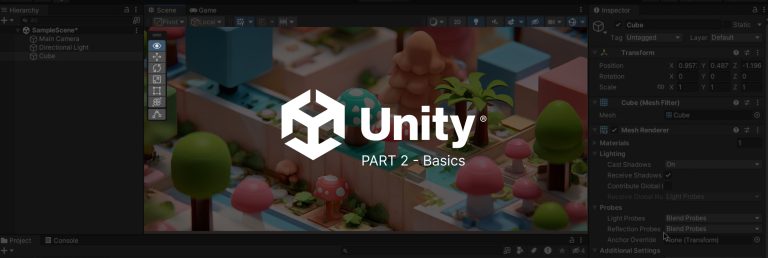
The Unity Editor: Unity Basics Part 2
Unity's editor interface can feel overwhelming at first, but it's actually quite logical when viewed as a digital film studio. The five essential panels include the Scene view (your 3D stage), Game view (camera perspective), Hierarchy (cast list), Inspector (object properties), and Project panel (asset library). Navigation basics and workspace customization help beginners feel comfortable before diving into actual creation.
-

What is Unity 3d: Unity Basics Part 1
Unity 3D is a powerful real-time development platform that extends far beyond gaming into AR/VR, film, architecture, and training simulations. Despite recent pricing controversies that shook developer trust, Unity remains highly accessible with its free tier, cross-platform deployment, and massive community support. Its visual scripting and comprehensive tutorials make it approachable for beginners while scaling to professional needs.
-

How to CircleCast in Unity
CircleCast in Unity is a 2D physics method that detects objects within a circular area moving along a specified direction. Use Physics2D.CircleCast(origin, radius, direction, distance, layerMask) for area-based collision detection, enemy detection systems, and predictive movement. Essential for creating sophisticated gameplay mechanics like AoE abilities and AI behavior. Optimize performance using layer masks, appropriate update frequencies, and limited detection ranges for smooth gameplay.
-

How to Move Player Position in Unity
To move a player in 3D Unity, beginners can use either Transform.Translate for simple movement or Rigidbody for physics-based control. This tutorial explains both methods step by step, including handling input, adding jump mechanics, and avoiding common mistakes. By the end, you’ll know how to move a player smoothly and start building interactive 3D games.
-

Unity’s Push to Industry: Navigating the New Licensing Landscape
Unity's new "Industry" licensing model is sparking backlash among developers, as aggressive upgrades and vague sales tactics raise concerns about costs and corporate ethics in the tech community.
-

Unity vs Unreal Cost Analysis (2026): Licensing, Royalties, and Real Scenarios
Recently, there has been a lot of turmoil with Unity developers around the newly introduced Runtime fees for developers using the Unity platform.
-

Quaternion Basics In Unity3d
Master Quaternion basics in Unity3D: smooth rotations, avoid gimbal lock, and achieve precise 3D positioning with this essential guide!
What's next should be worth building.
New products. Better systems. More compelling experiences. Whatever the opportunity, we bring the thinking, creativity, and technical expertise to make it real.
Start a Conversation 4520 SE Belmont St, Suite 300Portland, Oregon