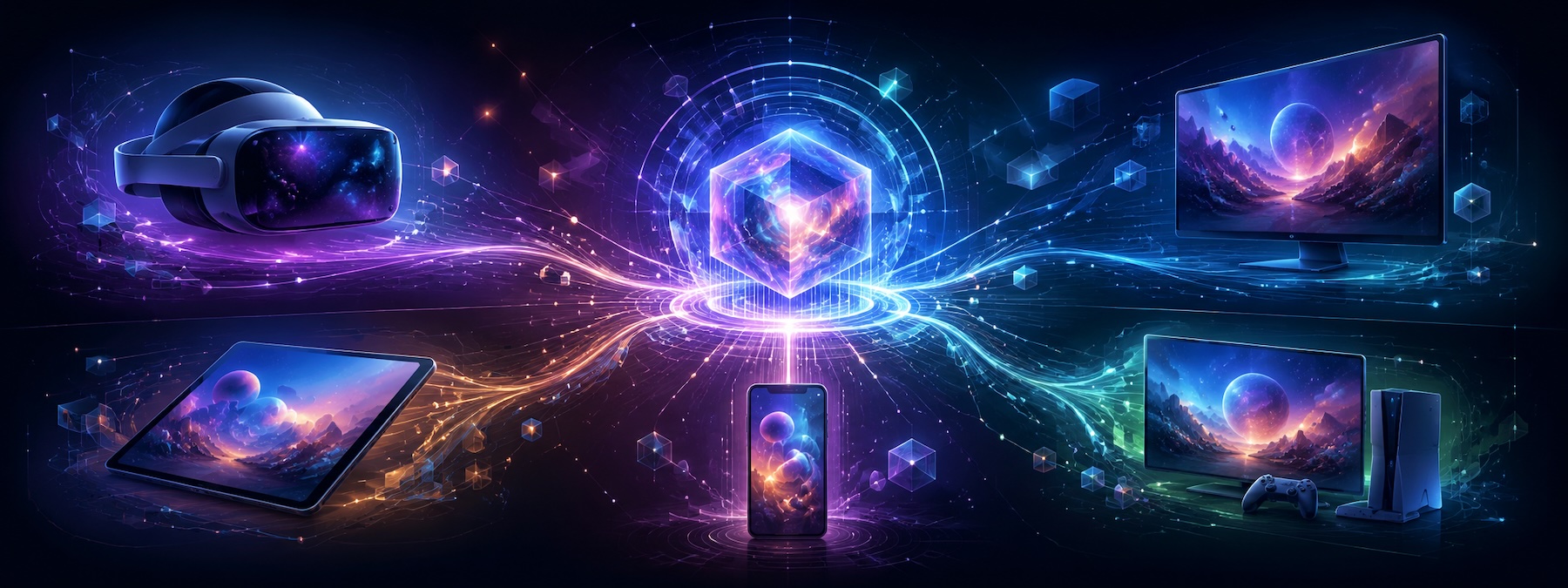
Every VR studio hits this moment: the app runs beautifully on the platform you built it for, and now a client, a store opportunity, or a hardware refresh is pulling it somewhere else. PCVR to standalone Quest. Quest to Vision Pro. An aging headset line to whatever replaced it. “It’s all Unity, how hard can it be?” is the famous last sentence. VR porting services exist because moving a finished app between headsets is a real engineering discipline, and knowing what actually changes between platforms is the difference between a six-week port and a six-month rewrite.
We’ve shipped VR across enough platforms, from training simulators to consumer titles to free-roam experiences, to know where the bodies are buried. Here’s what VR porting involves, what it costs, and how to scope it honestly.

The Common VR Porting Paths in 2026
PCVR → standalone Quest. Still the most requested port, and the hardest: you’re moving from desktop GPU budgets to a mobile chipset. A PCVR to Quest port is an optimization project, not a build-target switch. Draw call budgets, texture memory, shader complexity, and lighting all get renegotiated.
Quest → Apple Vision Pro. Different interaction philosophy (eyes and hands first, controllers optional), different rendering stack, different store expectations. Unity projects route through dedicated visionOS tooling, and native-leaning experiences may warrant a RealityKit rebuild of key scenes. Vision Pro porting is the path where scoping matters most, because the wildcard is interaction, not pixels.
Between Quest generations. Moving up (Quest 2 → 3/3S) is an opportunity pass: higher resolution, better passthrough, mixed reality features. Supporting both directions means performance tiers, not one build.
Anything → WebXR. For marketing activations and training rollouts where installing an app is the barrier. You trade fidelity for zero-friction distribution, which is the right trade more often than studios expect.
Quest 3/3S vs Vision Pro vs PCVR vs WebXR: What You’re Porting Into
| Quest 3 / 3S | Apple Vision Pro | PCVR | WebXR | |
|---|---|---|---|---|
| Compute reality | Mobile chipset with a fixed thermal and power budget | Desktop-class silicon, strict frame pacing and comfort expectations | Desktop GPU, the widest headroom of the four | Browser sandbox, the most constrained target |
| Primary input | Controllers plus hand tracking, passthrough MR | Eyes and hands first, controllers optional | Controllers, some hand tracking | Controllers and hands through the WebXR APIs |
| Rendering path | Unity/Unreal mobile pipelines, aggressive baking | visionOS tooling or a RealityKit rebuild of key scenes | Whatever you already shipped | WebGL/WebGPU, heavy asset budget cuts |
| Distribution | Horizon Store plus enterprise MDM channels | App Store with visionOS review | Steam, Viveport, direct enterprise installs | A URL, no install and no store review |
| Effort from a PCVR source | Heaviest lift: full optimization pass | Moderate to heavy: interaction redesign drives it | Usually the source, not the target | Lightest build, largest content cuts |
Two notes worth having before you pick a target. Quest 3S shares the Quest 3 compute profile with different optics, so treat them as one performance tier but test on both. And WebXR is the only target on this list with no certification queue, which sometimes matters more to a launch date than raw fidelity does.
What Actually Changes When You Port
Four areas eat most of the budget, in reliably this order.
Performance. Frame rate isn’t a quality metric in VR, it’s a comfort requirement. A port that drops frames is a port that makes people sick. Profiling, retopology, texture atlasing, shader simplification, and lighting rebakes are the core of any downward port.
Input. Controller bindings, hand tracking, gaze: each platform has its own model and its own conventions users expect. Abstraction layers like OpenXR and Unity’s XR Interaction Toolkit get you 80% there. The last 20% is bespoke interaction redesign, and it’s where ports feel native or feel wrong. We’ve written about the details in our VR interaction tutorials.
Platform services. Achievements, entitlements, multiplayer sessions, cloud saves: every store has its own SDK, and the old one is now load-bearing in your codebase.
Certification. Each store has technical requirements (performance floors, comfort ratings, privacy disclosures) that can fail a build for reasons that never mattered on your original platform. Budget a cert pass and one rejection. First submissions rarely clear.
Alt text: Byldr VR app interaction redesign during a PCVR to Quest port
How Our VR Porting Services Scope a Project
Technical audit. A week, roughly, spent in your project: engine version, renderer, plugin inventory, performance profile on target hardware, platform-service entanglements. This is where “six weeks or six months” gets answered with evidence instead of a guess.
Port plan. What moves as-is, what gets optimized, what gets redesigned (usually input), what gets cut. Honest scoping beats optimistic scoping, and cut features cost less than crunched ones.
The port itself. Optimization first, because it de-risks everything downstream, then input and services, then a hardening pass on real hardware.
Certification and launch. Store requirements, comfort rating, submission, and the fix-and-resubmit cycle.
The audit is the part studios skip and then regret. Without it, a quote is a guess dressed up as a number, and the correction shows up as a change order halfway through.
What VR Porting Costs
Ranges, because audits exist for a reason. A same-family port with healthy performance headroom can land in the $15,000–$40,000 range. A PCVR-to-standalone port with real optimization work typically runs $40,000–$120,000+. A Vision Pro port varies most of all, because interaction redesign is the wildcard.
The audit is the honest way to narrow these numbers for your specific project, and it’s priced so it’s useful even if you port elsewhere. If a vendor quotes VR porting services against a spec sheet and a demo video, they’re pricing risk, not work, and you’re the one carrying the difference.

How to Evaluate a VR Porting Partner
If you’re comparing shops, these five questions separate the ones who’ve shipped ports from the ones who’ve read about them:
- What does your audit produce? You want a written performance profile on target hardware and a named list of what gets cut, not a summary call.
- Who does the optimization? Porting is mostly profiling and asset work. Ask who on the team does it and what they last shipped.
- How do you handle input redesign? “OpenXR handles it” is a partial answer. The good answer describes the 20% that doesn’t map.
- Have you cleared certification on this store recently? Requirements move. Recent beats impressive.
- What would make you tell us to rebuild instead? A partner who can’t answer this hasn’t priced the alternative.
We answer all five in the audit, which is the point of running one before anybody signs a port contract.
Talk to Our VR Team
Have an app that needs to be somewhere it isn’t? Talk to our VR team about an audit, or read more about our virtual reality development and Vision Pro development practices. You can also browse our AR and VR experiences and see the work.