Google DeepMind’s new Genie 3 AI can generate photorealistic, interactive 3D worlds from simple text descriptions. For developers building VR applications and games, this represents both a significant opportunity and a fundamental shift in how we approach world creation.
At SLIDEFACTORY, an interactive development agency specializing in VR and game development, we’ve spent years working with emerging technologies. Our perspective on Google Genie 3 isn’t about fear or hype, it’s about understanding where this technology fits in the creative process and how it will reshape our industry.
What Is Google Genie 3?
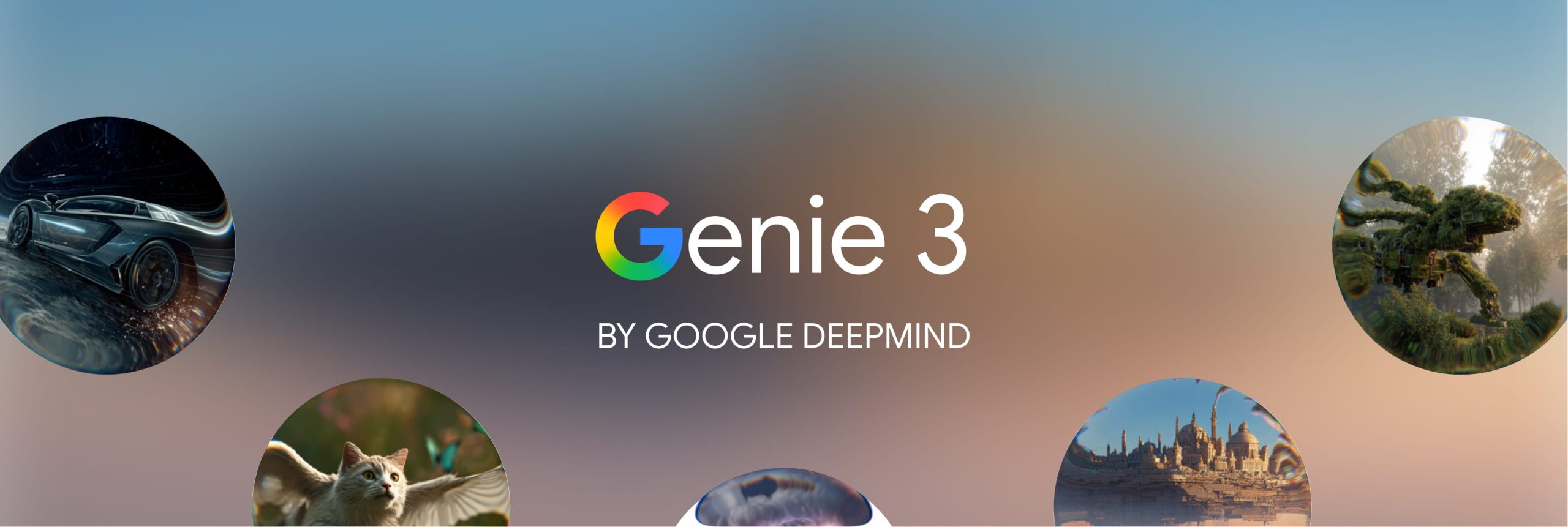
Google Genie 3 is an AI world model that generates interactive 3D environments from text prompts in real-time. Unlike traditional video generation AI, Genie 3 creates explorable environments where users can move freely, interact with objects, and see their actions reflected consistently in the world.
Key Capabilities of Genie 3:
- Real-time generation at 720p resolution, 20-24 frames per second
- Environmental memory that recalls interactions for up to one minute
- Photorealistic rendering with accurate lighting, materials, and physics
- Promptable world events allowing dynamic environment changes mid-session
- Interactive exploration rather than pre-rendered video playback
Current Limitations:
- Limited action space for user interactions
- Interaction duration of only a few minutes (not hours)
- Below production standards for most commercial VR applications
- Imperfect multi-agent simulation
- 720p resolution insufficient for high-end VR headsets
How AI World Generation Disrupts Traditional Game Development
Building a complex VR environment or game world currently requires:
- Months of development time
- Specialized teams (3D modelers, environment artists, programmers, lighting artists, UX designers)
- Weeks of iteration for a single high-quality environment
Genie 3 challenges this entire pipeline. What took months could potentially take hours. But this isn’t about replacement, it’s about transformation.
At SLIDEFACTORY, we’ve already integrated AI tools into our development workflow:
- Cursor and Claude Code for accelerated programming
- Meshy for 3D asset generation
- Midjourney for concept art and graphic development
Each tool amplifies creativity rather than replacing it. Genie 3 represents the next evolution in this AI-augmented development process.
Genie 3’s Current State: Promise vs. Reality
Let’s be realistic about where this technology stands today.
Why Genie 3 Isn’t Production-Ready Yet
The current technical constraints make Genie 3 unsuitable for most commercial projects:
Resolution and performance: VR applications demand high resolutions (often 2K per eye or higher) at 90+ fps for comfortable experiences. Genie 3’s 720p at 20-24 fps doesn’t meet these requirements.
Limited interaction time: Commercial VR experiences and games need to run for extended sessions. A few minutes of continuous generation isn’t enough.
Restricted action space: Users need diverse, complex interactions. Current limitations significantly constrain gameplay possibilities.
Why This Will Change Rapidly
Context matters. These AI tools didn’t exist a year ago.
Consider the exponential growth trajectory:
- GPT-3 to GPT-4: 18 months
- Stable Diffusion 1.0 to SDXL: 12 months
- Text-to-video from announcement to production tools: 24 months
The limitations that make Genie 3 a prototype today will likely be overcome within 1-2 development cycles. We’ve watched this pattern repeat with every major AI breakthrough.
Using Genie 3 for Rapid Prototyping and Concept Exploration
If SLIDEFACTORY had access to Google Genie 3 today, we wouldn’t attempt to ship commercial products with it. Instead, we’d use it for experimental prototyping, the kind of rapid iteration that transforms how we explore creative possibilities.
A Real-World Prototyping Workflow
Traditional approach:
- Client requests immersive training for emergency responders
- Team spends 2-3 weeks building initial environment
- Client reviews single concept
- Revisions take another 1-2 weeks
- Total time to first viable concept: 4-6 weeks
AI-accelerated approach with Genie 3:
- Client requests immersive training for emergency responders
- Generate 12 environment variations in 4-6 hours
- Explore urban settings, natural disasters, industrial accidents
- Test emotional and educational impact of each
- Client selects winning concept same week
- Build production version with traditional tools and polish
- Total time to validated concept: 1 week
This isn’t about shipping AI-generated worlds directly. It’s about failing faster, iterating more broadly, and finding unexpected solutions before committing significant development resources.
How to Prompt Genie 3 Effectively
For developers actually planning to use Google Genie 3, prompt construction matters. Unlike simple text-to-image AI, Genie 3 requires thinking about three interconnected elements:
The Three Elements of Genie 3 Prompting
1. Environment prompt: Describe the world itself: terrain type (forest, city, ocean), surface materials (dirt path, asphalt, calm water), visual style (photorealistic, claymation, watercolor), and environmental behaviors (dynamic weather, water physics).
2. Character prompt: Define what the user controls: appearance (fluffy white rabbit, robotic arms on motorcycle), movement capabilities (walking, flying, driving), and how actions affect the environment (leaving trails, creating splashes, moving objects).
3. World Sketch preview: Genie 3’s preview system (powered by Nano Banana Pro) generates an image based on your prompts. This preview informs the final world generation, so verify it matches your vision before entering.
Practical Prompting Tips for Developers
Be specific about surfaces and terrain: “A grassy field” generates differently than “wet asphalt road with puddles.” Material and surface detail significantly affect world generation quality.
Use game-like language for character control: Phrases like “responsive jet-like controls,” “omni-directional movement,” and “aerodynamic banking” produce more precise character behavior than vague descriptions.
Keep environment and character prompts aligned: If your environment is photorealistic, a cartoon character may look out of place. Visual consistency across prompts produces better results.
Front-load sensory details: “A dimly lit forest with mysterious fog on the ground” establishes mood better than “A dark forest.”
Test with the preview system: The generated preview image determines much of your world’s appearance. Iterate on prompts until the preview matches your intent.
For developers coming from Unity or Unreal, think of the environment prompt as your level design brief and the character prompt as your player controller specification, but expressed in natural language rather than technical parameters.
What AI Can’t Replace: The Human Elements of Game Development
When everyone has access to Google Genie 3, differentiation won’t come from the technology itself.

The Irreplaceable Human Factors
Creative vision: What experiences are you trying to create? What emotions should players feel? These questions require human insight into storytelling, psychology, and design.
Problem-solving: Every client project has unique challenges. Success comes from understanding the problem deeply and finding unexpected solutions, not just applying the latest tool.
Craft and polish: The difference between a functional prototype and a memorable experience is refinement. AI generation creates starting points; human designers create finished products.
Narrative design: Pacing, emotional beats, character development, and story structure remain fundamentally human disciplines.
Technical integration: Knowing which tool to use when, how to combine AI-generated assets with traditional development, and how to optimize for target platforms requires experience and judgment.
Unity and Unreal Engine democratized 3D game development, but having access to an engine doesn’t make someone a game designer. The same will be true for AI world generation tools like Genie 3.
How Client Expectations Will Shift with AI Development Tools
The inevitable questions:
- “Can’t AI just generate this in a few hours now?”
- “Why does development still take months if you’re using AI?”
- “Shouldn’t this cost less with these new tools?”
Every new technology triggers this conversation. It happened with game engines, with asset stores, and now with generative AI.
Our Approach to Managing Expectations
What genuinely gets faster:
- Concept visualization and early prototyping
- Environment iteration and exploration
- Testing multiple aesthetic directions
- Generating variation assets
What remains time-intensive:
- Narrative design and story structure
- Interaction design and UX refinement
- Performance optimization for target platforms
- Quality assurance and bug fixing
- Polish and production value
The timeline compresses for certain phases, but quality still requires craft. Clients want well-executed solutions that solve their problems, delivery timelines will adjust, but the commitment to quality won’t.
The Future of VR and Game Development: Multiple Paths Forward
AI won’t create a binary “handcrafted vs. AI-generated” future. Instead, we’re seeing an expansion of development approaches:
The Simulation Path
AI-generated worlds for training, education, and agent research. This is exactly what Google is positioning Genie 3 for with their SIMA (Scalable Instructable Multiworld Agent) integration.
Best for: Corporate training, autonomous vehicle testing, AI agent development, scenario-based learning.
The Experiential Path
Handcrafted narrative experiences where every environmental detail is intentional and emotionally calibrated for maximum impact.
Best for: Story-driven VR experiences, artistic installations, premium narrative games.
The Hybrid Path
AI-accelerated development where generation handles environment creation, while human designers focus on narrative, mechanics, and polish.
Best for: Most commercial VR and game projects balancing timeline with quality.
The Experimental Path
Entirely new experience categories that only become possible when world generation is this accessible: adaptive storytelling, personalized training, real-time collaborative creation.
Best for: Research projects, experimental installations, emergent gameplay systems.
Different projects demand different approaches. A corporate safety training simulator might lean heavily on AI generation. A narrative VR experience might use Genie 3 only for initial prototyping. An experimental art piece might make the AI generation process itself part of the aesthetic.
Key Developments We’re Tracking in AI World Generation
As we evaluate Google Genie 3 and competing technologies, SLIDEFACTORY is monitoring several critical factors:
Technical Maturation Timeline
- When will output quality meet VR production standards?
- What resolution, framerate, and polygon counts do we need?
- How long until extended interaction duration is supported?
Expanded User Control
- How much agency will users have in generated worlds?
- Will action space expand to support complex gameplay?
- Can we program custom interactions within AI-generated environments?
Pipeline Integration
- Will Genie 3 export to Unity, Unreal Engine, or other platforms?
- How do AI world models interface with existing development tools?
- Can we combine AI-generated bases with traditional asset workflows?
Accessibility and Pricing
- Consumer tool ($20-50/month) vs. enterprise pricing?
- API access for custom integrations?
- Offline generation capabilities?
Creative Innovation
- What genuinely novel applications will emerge?
- Which developers find unexpected use cases?
- What new experience categories become viable?
Why We’re Not Worried (But We’re Paying Attention)
We built SLIDEFACTORY on the principle of embracing emerging technology to create experiences that weren’t possible before. We’ve navigated VR’s evolution from early Oculus dev kits to current-generation standalone headsets. We’ve watched game engines mature from limited tools to comprehensive platforms. We’ve integrated AI into our workflow as capabilities have become viable.
Genie 3 represents another inflection point, and we’re approaching it the same way we always have: with curiosity and a healthy dose of skepticism.
The technology will improve rapidly. The limitations preventing production use today will likely be resolved within our current project planning horizons. When that happens, we’ll be ready, not because we adopted it blindly, but because we spent this transition period:
- Experimenting with capabilities and workflows
- Understanding strengths and limitations
- Identifying where AI generation adds genuine value
- Determining where human craft remains essential
- Developing hybrid approaches that combine both
The Question Isn’t Replacement, It’s Possibility
The conversation around AI development tools often gets framed as displacement: “Will AI replace game developers?” or “Will designers become obsolete?”
These are the wrong questions.
The right question is: “What becomes possible when world creation is this accessible?”
- When environment generation moves from months to minutes
- When iteration becomes essentially free
- When you can explore a hundred variations before committing to one
- When prototyping doesn’t require a full production team
What new categories of experience become viable?
We don’t know yet. The technology is too new. But this uncertainty is what makes this moment exciting for creative agencies like SLIDEFACTORY.
We’re not waiting to find out. We’re actively exploring how these tools enable experiences people haven’t seen before, not just faster versions of what we already build, but genuinely new forms of interactive storytelling, immersive training, and experiential design.
The technology is here. The limitations are temporary. The creative opportunities are just beginning to emerge.
Where We Go From Here
At SLIDEFACTORY, we’re not sitting around waiting for Genie 3 to become production-ready. We’re:
Building muscle memory with current AI tools (Meshy, Midjourney, Claude Code) so we understand the workflow patterns and limitations before the next generation arrives.
Having real conversations with clients about what AI can and can’t do, setting expectations now rather than dealing with confusion later.
Running experiments with AI-human hybrid approaches to figure out what actually works versus what just sounds good in a blog post.
Staying focused on what we’ve always done: using the right tools to help clients build experiences that solve real problems.
Every agency will have access to Genie 3 eventually. The difference won’t be the tools, it’ll be knowing what to build and how to build it well.
Google Genie 3 isn’t the end of traditional development, it’s just another tool in the toolkit. A powerful one, sure, but still just a tool.
The real work? That’s still figuring out what to build and building it well.
About SLIDEFACTORY
SLIDEFACTORY is an interactive development agency specializing in VR applications and game development. We partner with clients to build unique experiences using emerging technology: from AI-accelerated workflows to cutting-edge VR platforms.
Curious about what’s possible with AI-augmented development for your next project? Let’s talk.