Byldr: Building VR From Inside the Experience
A custom application that allows users to build and save complex Virtual Reality environments while within Virtual Reality.
Byldr: Building VR From Inside the Experience
A custom application that allows users to build and save complex Virtual Reality environments while within Virtual Reality.
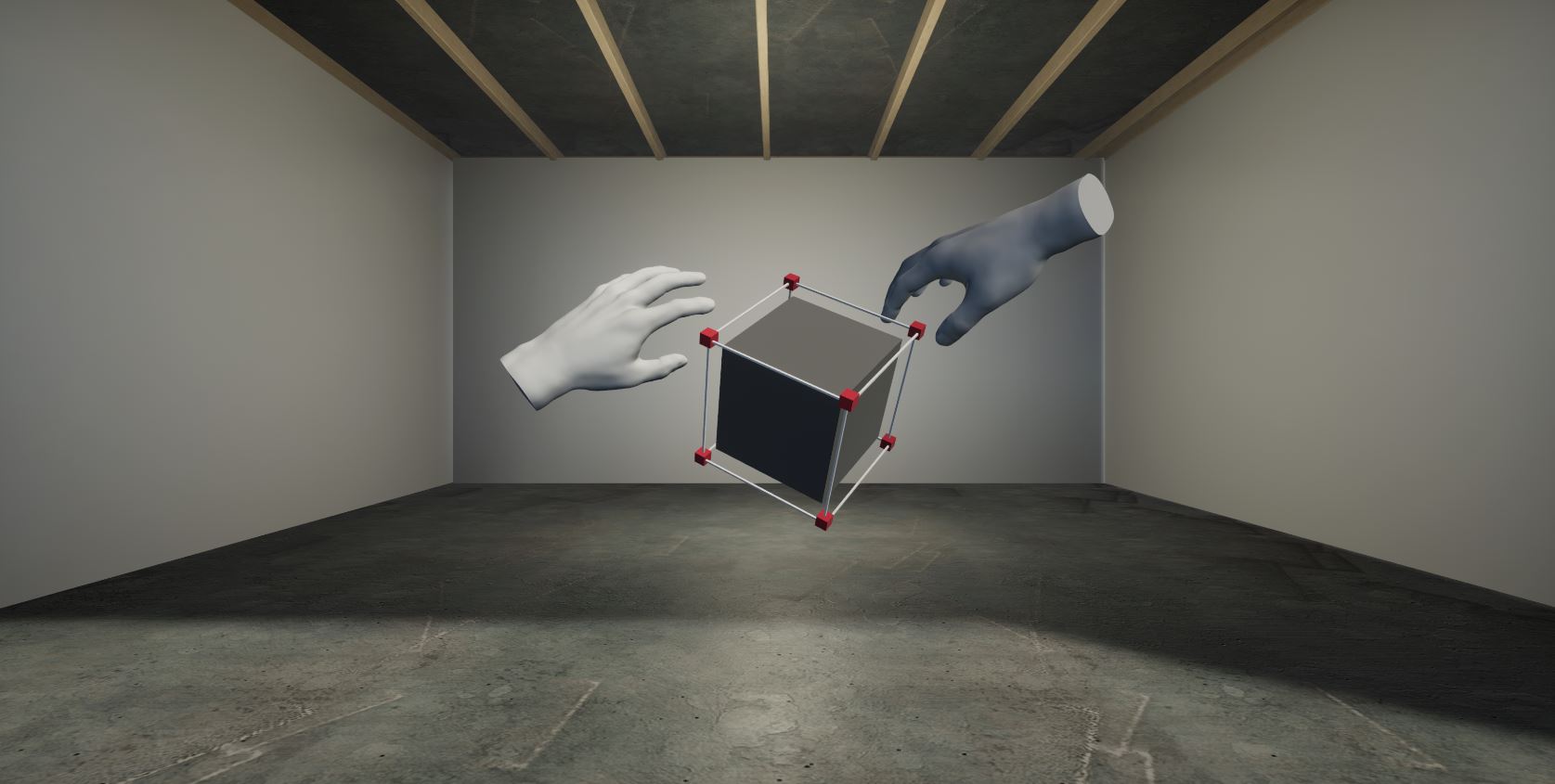
Byldr came to SLIDEFACTORY with an idea that changed where, and how, people could create virtual reality. Instead of building an environment on a desktop and putting on a headset to experience it, users would create while standing inside the virtual space. They would work with their hands, without needing to write code.
That idea opened up a different kind of creation tool. Someone could place an object, see its scale around them, and adjust it within the environment they were making. The challenge was turning that freedom into a product people could learn to use, with enough control to build something deliberately.
We worked with the Byldr team to develop the application, connecting interaction design, immersive development, and the tools needed to assemble and share a finished experience.
The product’s public listings on SideQuest and Meta describe it the same way we built it: create immersive applications without conventional coding, using hand tracking inside VR.
Making Hands the Tools
Hand tracking was central to the product. Users needed to select, place, scale and arrange objects through gestures, so the interaction design had to make those actions understandable inside a headset.
A build tool is used differently from a demonstration. Someone assembling an environment holds a pose for minutes at a time, repeats the same action dozens of times, and expects the same gesture to produce the same result each time. Precision that is acceptable in a short experience becomes tiring over a working session.
A gesture that works for selecting an object also has to fit into the next action: moving it, changing its size, or placing it alongside something else. We worked through those connected interactions as part of the building experience. The aim was to let users concentrate on the environment they were creating while giving them practical ways to control it.
The interface sits underneath all of it. Menus, drag handles and property panels were designed for a mouse and a flat screen, and they do not survive contact with a pair of hands in a headset. A tool aimed at people who do not write code cannot fall back on a panel of numeric fields either, so the controls had to be things a person could reach for.
Development involved regular reviews with the Byldr team, who tested features as they became available. Feedback on hand tracking and collaboration informed subsequent iterations, keeping the design work connected to how the application behaved in use.
From Placing Objects to Creating an Experience
Building the interaction model was part of a larger task. Byldr needed to support the work around it, from bringing assets into a project to organizing an experience and preparing it for other people to use.
Importing a user’s own models is what separates a toy from a tool. It also means the environment has to cope with whatever someone brings to it, at whatever size and complexity they made it, and still behave in a headset.
We helped develop tools for importing 3D models, assembling environments and storyboarding experiences. These capabilities gave users a way to work with their own material and shape it into a virtual space. Publishing and export functionality extended the workflow beyond the authoring session, so a creation could be shared outside the space where it was built.
The application also supported multiple people working in the same environment. Collaboration brought another set of requirements into the product: users needed to see changes as they happened and work together within a shared space. We developed and refined that functionality alongside the individual creation tools.
Shared editing changes what a creation tool is for. One person building alone is making something. Several people in the same space are having a conversation about it, and the software has to keep everyone looking at the same version of the environment while they do.
Keeping the Experience Usable in a Headset
The product brought together hand tracking, 3D content and shared sessions across different headset targets. Byldr was built for Oculus Quest, Quest 2 and HoloLens, and those 3 devices do not offer the same performance headroom, so performance was a consideration throughout development.
Our work connected the interface with the application beneath it. The controls needed to support the building process, while the software needed to handle the environments users were assembling. Developing those parts together helped us address the product as a complete authoring experience.
The technologies behind it are Unity, Node.js, C#, 3D asset pipelines and UX design.
Publishing What People Build
A creation tool is only finished when someone else can see the result. Finished experiences could be published to the Meta Quest Marketplace, the Microsoft Marketplace or SideQuest.
Byldr creations could also be exported directly into Decentraland. SLIDEFACTORY built the service behind that export, which turns a Byldr creation into a deployable Decentraland scene.
Byldr was rated 4.7 out of 5 on SideQuest following its release.
Opening VR Creation to More People
The resulting product gave people a way to create virtual environments through direct interaction, without conventional programming. Users could bring in assets, arrange a space around themselves, and collaborate with others while developing the experience.
That approach is relevant to education because the act of building can become part of the lesson. A learner can explore the relationship between an idea and a three-dimensional space by creating within it. A teacher or training designer can use the same authoring approach to develop an environment around the material they want to communicate.
There is public evidence of that use. Fairfax Collegiate, a summer enrichment provider in Northern Virginia, names BYLDR in its 2026 Virtual Reality Course Syllabus, revised February 1, 2026, in a lesson where students design a 3D environment directly on their headset. The course is written for students entering grades 7 to 9.
That syllabus documents a published lesson plan rather than measured learning outcomes, and SLIDEFACTORY has no engagement with Fairfax Collegiate. It shows educators picking the product up, not us placing it there.
For SLIDEFACTORY, Byldr brought product development and immersive interaction design together around a specific goal: making the tools for creating VR accessible to people who do not code. It also connects with our broader education software development work, including interactive learning experiences and tools for educators.
Have an Idea for an Immersive Product?
We can help work through how it should function, design the interactions, and build the software behind it. Tell us what you want people to be able to create, learn or do.
Frequently Asked Questions
What is Byldr?
Byldr is a code-free authoring tool for AR and VR experiences. Users build virtual environments from inside virtual reality using hand tracking, import their own 3D models, storyboard an experience and publish the result. SLIDEFACTORY worked with the Byldr team to develop the application.
Which headsets does Byldr run on?
Byldr was built for Oculus Quest, Quest 2 and HoloLens. Finished creations could be published to the Meta Quest Marketplace, the Microsoft Marketplace or SideQuest, and exported directly into Decentraland.
Do you need to know how to code to use Byldr?
No. Creation happens through hand tracking inside the headset rather than through a code editor. Users select, place, scale and arrange objects with their hands, import 3D assets and storyboard the experience without conventional programming.
Is Byldr used for teaching?
There is public evidence of curriculum use. Fairfax Collegiate names BYLDR in its 2026 Virtual Reality Course Syllabus, revised February 1, 2026, in a lesson where students entering grades 7 to 9 design a 3D environment on their headset. That documents a published lesson plan rather than measured learning outcomes, and it reflects a third party adopting the product rather than a SLIDEFACTORY engagement.
What technologies was Byldr built with?
Unity, Node.js and C#, alongside 3D asset production and UX design. Hand tracking, performance across three headset targets, and real-time multi-user collaboration were the main engineering problems.